
Blink Outdoor camera flashing red 5 times
Disclosure: As an Amazon Associate I earn from qualifying purchases. This technical guide may contain affiliate links for replacement hardware and diagnostic tools.
A Blink Outdoor camera flashing red 5 times indicates a critical failure during the network association or power-rail handshake phase, specifically an inability to establish bidirectional communication with the 2.4 GHz Wi-Fi network, an unresolvable connection failure to the Blink Sync Module, or severe voltage sag under active radio transmission loads.
Verified Replacement Hardware & Test Gear
Click any component image or button to verify current Amazon stock Long-Life Camera Cells
Energizer Ultimate Lithium AA Batteries (for Blink Outdoor) / CR2032
OEM Required 1.5V Lithium Spec
Long-Life Camera Cells
Energizer Ultimate Lithium AA Batteries (for Blink Outdoor) / CR2032
OEM Required 1.5V Lithium Spec
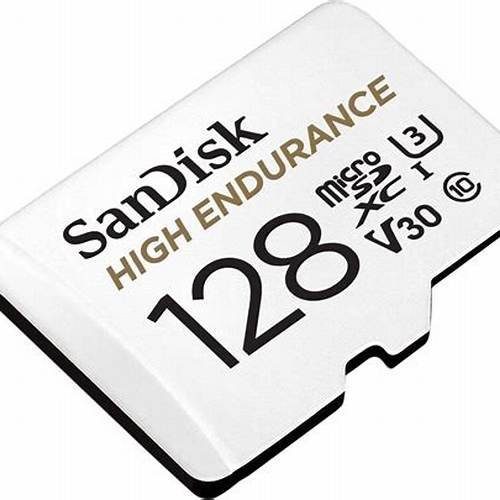 Sync Module Local Storage
SanDisk High Endurance 128GB Video Monitoring Storage Media
High-Endurance Video Flash
Sync Module Local Storage
SanDisk High Endurance 128GB Video Monitoring Storage Media
High-Endurance Video Flash
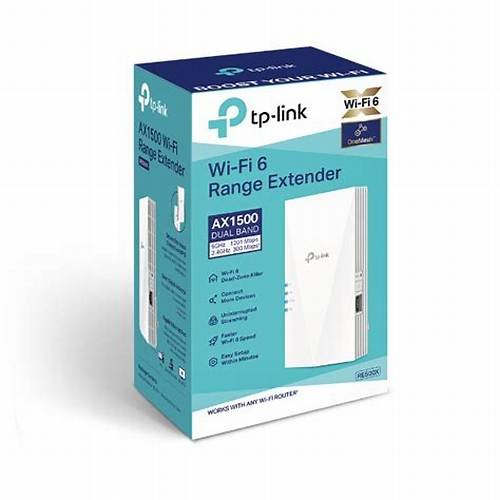 Exterior 2.4GHz RF Boost
TP-Link RE500X Wi-Fi 6 Outdoor Range Extender
Eliminates Red-Light Signal Drops
Exterior 2.4GHz RF Boost
TP-Link RE500X Wi-Fi 6 Outdoor Range Extender
Eliminates Red-Light Signal Drops
Hardware Diagnostics: Decoding the 5-Flash Red LED Sequence
The Blink Outdoor camera utilizes a multi-color LED on the front fascia to provide visual telemetry regarding boot sequence, sensor states, and system-level exceptions. When the camera issues an isolated burst of 5 red flashes, the internal logic controller has encountered an unrecoverable exception during its wake-from-sleep or provisioning state.
Under normal operation, the camera sits in an ultra-low-power sleep state managed by an internal passive infrared (PIR) sensor and an integrated sub-1 GHz proprietary RF receiver (LFR: Low-Frequency Radio, operating at 902–928 MHz in North America or 868 MHz in Europe). Upon motion trigger or an on-demand polling request, the camera initiates the following sequence:
- Sub-GHz Acknowledgment: Confirms link state with the local Blink Sync Module.
- Power Plane Energization: Transitions the main system on chip (SoC) and image signal processor (ISP) from deep sleep to the operational power state.
- WLAN Baseband Initialization: Powers the 802.11b/g/n 2.4 GHz Wi-Fi radio module.
- Layer 2/3 Association: Completes the 4-way WPA2 handshake, obtains an IP via DHCP, and opens an outbound TLS session to Blink/Amazon Web Services (AWS) endpoints.
If this sequential boot pipeline fails prior to establishing the TLS session, the micro-controller halts image pipeline streaming and writes an error code to the LED driver, manifesting as 5 discrete red LED flashes.
Root Causes: Layer 1 to Layer 4 Technical Analysis
1. Layer 1 (Physical / Electrical): Transient Power Sag (Brownout)
Blink Outdoor cameras require continuous, high-current transient delivery that standard alkaline batteries cannot provide. During Wi-Fi packet transmission (TX bursts) and active infrared (IR) LED illumination, current draw can spike to over 400mA–500mA.
Standard alkaline cells suffer from high internal resistance. Under high-drain loads, their terminal voltage collapses below the operating threshold of the camera’s power management IC (PMIC)—typically around 2.2V to 2.4V combined. This transient brownout forces an immediate SoC reset. As the load drops, voltage rebounds, causing the controller to restart, fail validation, and trip the 5-flash red warning. Only 1.5V Lithium-Iron Disulfide (Li-FeS2) cells (such as Energizer Ultimate Lithium) maintain the necessary low internal resistance and flat discharge curve across varied temperatures.
2. Layer 2 (Data Link / RF): Sub-GHz LFR or 2.4 GHz RF Desensitization
The architecture relies on dual-band physical links:
- Sub-GHz (LFR) Link: Commands and keep-alives pass between the Sync Module and camera. If spatial attenuation, concrete walls, or electromagnetic interference (EMI) degrades this signal below -95 dBm RSSI, the camera cannot receive the wake-up vector, triggering the fault sequence.
- 2.4 GHz WLAN Contention: High Co-Channel Interference (CCI) or Adjacent Channel Interference (ACI) from dense BSSID deployments can prevent the 802.11 radio from achieving a successful Clear Channel Assessment (CCA). Excessive packet drops during the 802.11 association phase abort the connection.
3. Layer 3/4 (Network / Transport): DHCP Exhaustion, Band Steering, and Port Blocks
If RF link metrics are nominal, the failure often originates at the router or gateway interface:
- Band Steering / 5 GHz Forcing: Blink Outdoor hardware only contains a single-band 2.4 GHz (802.11b/g/n) transceiver. Access points with aggressive 802.11k/v/r band steering that attempt to force dual-band-capable SSIDs into 5 GHz will disrupt association handshakes.
- DHCP Lease Pool Exhaustion: If the local DHCP server fails to supply an address within the hardcoded timeout window (ACK/NAK failure), the camera throws the 5-flash code.
- Security Protocol Mismatch: WPA3-Personal (SAE) strictly configured without transition mode (WPA2/WPA3 Mixed) will break negotiation. The camera requires WPA2-PSK (AES-CCMP).
Technical Diagnostics Matrix
| Fault Domain | Primary Symptom | Underlying Failure Mechanism | Remediation Protocol |
|---|---|---|---|
| Power Rail | Flashes 5 times during motion or Live View; stable while idle. | Battery internal resistance causes transient voltage drop < 2.4V during TX burst. | Replace with 2x 1.5V AA Energizer Ultimate Lithium (Li-FeS2). Do not use Alkaline, NiMH, or Li-ion 3.7V. Check Long-Life Camera Cells on Amazon ↗ |
| LFR Sub-GHz | Sync Module shows solid blue/green; camera fails handshake. | Path loss > 90 dB on 900MHz/868MHz; high path obstruction. | Relocate Sync Module within direct Line-of-Sight (LoS) or < 30 feet from camera. Avoid metal conduits. Check Sync Module Local Storage on Amazon ↗ |
| WLAN 802.11 | Camera flashes red during initial add or sync sequence. | SSID uses DFS channels, 40MHz channel width, or WPA3-only authentication. | Lock 2.4GHz network to 20MHz bandwidth, standard non-overlapping channels (1, 6, 11), WPA2-PSK (AES). Check Exterior 2.4GHz RF Boost on Amazon ↗ |
| Network/Firewall | Camera associates to AP (MAC present), then flashes red. | DHCP timeout, IP exhaustion, or egress filtering on outbound TCP 443 / UDP 123. | Assign permanent DHCP reservation; open outbound TCP port 443; permit NTP (UDP 123); disable AP client isolation. |
Systematic Remediation Protocol
Phase 1: Electrical Plane Isolation
Measure the terminal voltage of the two AA cells under an active load using a digital multimeter (DMM). Open-circuit voltage (OCV) of nominal Li-FeS2 cells should read between 1.6V and 1.8V per cell (minimum 3.2V series total). If total open-circuit voltage is below 3.0V, or drops below 2.6V under load, discard both cells. Replace with fresh, non-expired Energizer Ultimate Lithium L91 cells. Ensure physical contact terminals are free of atmospheric oxidation or dielectric grease.
Phase 2: Local RF and Access Point Configuration
Log in to your gateway or wireless LAN controller (WLC) and execute the following adjustments for the 2.4 GHz radio profile servicing the camera:
- Channel Allocation: Disable automatic channel hopping (Dynamic Frequency Selection / Auto-channel). Manually select Channel 1, 6, or 11 to avoid co-channel overlap.
- Channel Width (Channelization): Force the 2.4 GHz channel width to strictly 20 MHz. Blink’s baseband processor exhibits instability on wide 40 MHz channels due to elevated noise floor and reduced spectral density.
- Security Suites: Explicitly configure security as WPA2-PSK with AES encryption. Disable WPA/WPA2 Mixed TKIP and WPA3-only modes.
- Airtime Fairness / Client Steering: Disable “Airtime Fairness,” “Band Steering,” and “Fast Roaming (802.11r)” on the relevant SSID, as these protocols can de-authenticate low-power legacy/IoT embedded chipsets.
Phase 3: Network Infrastructure and Firewall Rules
If the camera’s MAC address is visible within the router’s ARP table but the camera continues flashing red 5 times, outbound network paths are likely constrained:
- Verify that local client isolation (AP Isolation / Guest Network Isolation) is disabled if the Sync Module and camera reside on separate subnets or VLANs; they must be capable of local Layer 2 discovery.
- Audit firewall egress policies. Ensure the camera and Sync Module can establish outbound persistent connections over TCP Port 443 (HTTPS) to Blink AWS cloud endpoints, as well as UDP Port 123 (NTP) for real-time clock synchronization. Drop any TLS/SSL inspection or Deep Packet Inspection (DPI) applied to these MAC addresses, which breaks mutual certificate verification.
- Expand DHCP pool scope and verify availability. Clear stale dynamic allocations or configure a static IP lease reservation mapped to the camera’s OUI/MAC identifier.
Phase 4: Hardware State Machine Reset
If the error persists after power, RF, and network layers are verified, the local firmware configuration block must be purged:
- Remove the back cover of the Blink Outdoor camera.
- Press and hold the physical reset button located near the battery tray for 10 to 15 seconds until the LED flashes red, then release.
- Power-cycle the Blink Sync Module by disconnecting physical DC power for 30 seconds. Confirm the Sync Module achieves steady green and blue LED states prior to initiating the camera pairing process again via the Blink mobile application.
🔧 Need Replacement Hardware or Diagnostic Tools?
If your troubleshooting indicates a hardware failure, check the current prices and compatibility for Energizer Ultimate Lithium AA Batteries on Amazon:
Check Price & Availability on Amazon →