
UniFi Switch Lite 8 PoE blinking orange port
Disclosure: As an Amazon Associate I earn from qualifying purchases. This technical guide may contain affiliate links for replacement hardware and diagnostic tools.
A blinking orange (amber) port on a UniFi Switch Lite 8 PoE (USW-Lite-8-PoE) indicates a PoE (Power over Ethernet) fault state, most commonly triggered by a PoE budget overload, a short circuit in the cabling or connected PD (Powered Device), or a failure in the 802.3af/at detection and classification handshake.
Verified Replacement Hardware & Test Gear
Click any component image or button to verify current Amazon stock Long-Life Camera Cells
Energizer Ultimate Lithium AA Batteries (for Blink Outdoor) / CR2032
OEM Required 1.5V Lithium Spec
Long-Life Camera Cells
Energizer Ultimate Lithium AA Batteries (for Blink Outdoor) / CR2032
OEM Required 1.5V Lithium Spec
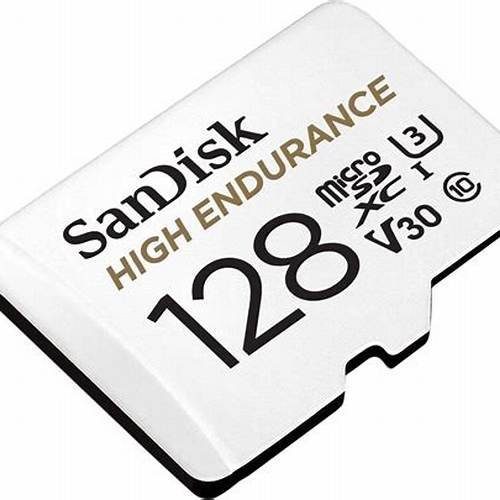 Sync Module Local Storage
SanDisk High Endurance 128GB Video Monitoring Storage Media
High-Endurance Video Flash
Sync Module Local Storage
SanDisk High Endurance 128GB Video Monitoring Storage Media
High-Endurance Video Flash
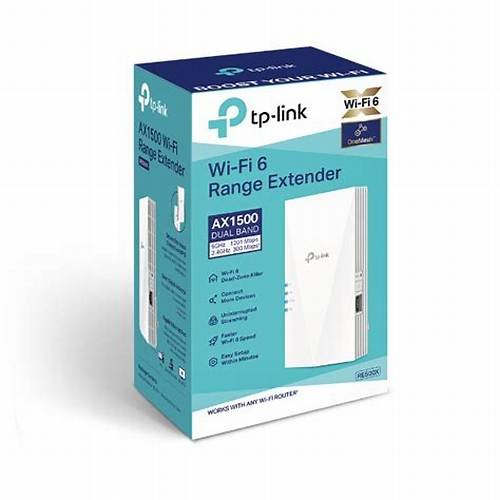 Exterior 2.4GHz RF Boost
TP-Link RE500X Wi-Fi 6 Outdoor Range Extender
Eliminates Red-Light Signal Drops
Exterior 2.4GHz RF Boost
TP-Link RE500X Wi-Fi 6 Outdoor Range Extender
Eliminates Red-Light Signal Drops
Technical Classification of LED Indicator States
Understanding the diagnostic signaling of the USW-Lite-8-PoE is critical for isolation. The Lite 8 PoE features two LEDs per port. On ports 1 through 4 (the PoE-capable ports), the left LED indicates link speed and activity, while the right LED indicates PoE status. A blinking orange light specifically on the PoE status indicator implies that the PSE (Power Sourcing Equipment) controller has detected an anomaly and has entered a protective shutdown mode for that specific port.
Distinguishing Between Link Speed and PoE Faults
- Solid Orange (Link LED): The port has established a physical link at 10/100 Mbps. This is not an error but a limitation of the connected device’s NIC or the cabling.
- Blinking Orange (PoE LED): This indicates a PoE-specific error, such as “Overload,” “Short,” or “Incompatible Voltage.”
- Flashing White/Blue (System LED): Indicates the switch is booting or awaiting adoption, unrelated to individual port PoE states.
Root Cause 1: PoE Budget Exhaustion and Over-Subscription
The USW-Lite-8-PoE has a total internal power budget of 52W. While it supports 802.3at (PoE+) on ports 1-4, which allows for up to 30W per port, the aggregate draw cannot exceed the 52W limit. If you have three devices drawing 15W each (45W total) and a fourth device attempts to draw 10W, the switch will exceed its 52W ceiling. The PSE controller will then drop the lowest priority port or the most recent requester, often resulting in a blinking amber state as the port cycles in a failed attempt to negotiate power.
Calculating Total Load
To diagnose this, sum the maximum theoretical draw of all connected PDs. Note that many UniFi Access Points (like the U6-LR) have a peak draw that occurs during boot-up or high-client density. If the aggregate peak draw exceeds 52W, the switch will exhibit unstable port behavior.
Root Cause 2: Physical Layer Faults and DC Resistance Unbalance
PoE relies on DC current being pushed through specific pairs of the Category 5e/6 cable. A blinking orange light is frequently the result of a “Short Circuit” detection. This occurs when the PSE sends a low-voltage detection signal (2.7V to 10.1V) and detects a resistance lower than the expected 25k ohms.
- Pinout Misconfigurations: T568A/T568B mismatches or poor crimps on pins 1, 2, 3, and 6 (Mode A PoE) will prevent successful detection.
- Cable Induction/Water Ingress: Moisture in outdoor cable runs or RJ45 couplers can create high-impedance shorts that trigger the PSE’s safety cutoff, causing the amber blink.
- CCA (Copper Clad Aluminum) Cabling: Use of CCA cabling in PoE applications often leads to excessive DC resistance and heat, which can cause the USW-Lite-8-PoE to shut down the port as the voltage drop exceeds the 802.3at threshold.
Root Cause 3: 802.3af/at Handshake Failure
The PoE negotiation process follows a strict sequence: Detection, Classification, Operation, and Monitoring. If the PD fails to present the correct “Classification Fingerprint” (Range 1-4), the switch will refuse to apply full voltage (48V-54V). A blinking amber light can indicate that the device passed initial detection but failed classification, or that the PD is a “Passive PoE” device (24V). The USW-Lite-8-PoE does not support 24V Passive PoE; attempting to connect such a device may trigger a fault light or, in worst-case scenarios, damage the PD’s NIC.
Advanced Troubleshooting via CLI
To move beyond visual diagnostics, an expert technician should utilize the Ubiquiti CLI via SSH. This provides real-time telemetry from the PSE controller that is not always visible in the UniFi Network Application GUI.
Accessing the PSE Telemetry
1. SSH into the switch using your controller credentials.
2. Enter the following command to see the PoE status per port:
swctrl poe show
This command returns a table showing the voltage, current, and power draw for each port. Look for “Fault” codes in the status column. Common codes include:
- Overload: The device is drawing more than the allocated wattage.
- Short: A direct electrical short is detected on the line.
- MPS Absent: The Maintain Power Signature is lost, meaning the device is not drawing enough current to keep the port active.
| Error State | LED Behavior | Primary Cause | Recommended Action |
|---|---|---|---|
| PoE Overload | Blinking Orange | Aggregate draw > 52W | Remove non-critical PDs or use a PoE Injector. Check Long-Life Camera Cells on Amazon ↗ |
| Short Circuit | Blinking Orange | Damaged cable or RJ45 ends | Reterminate ends to T568B standard; test with a cable certifier. Check Sync Module Local Storage on Amazon ↗ |
| PD Incompatibility | Blinking Orange | Passive 24V device connected | Use a “Classic” 24V PoE injector or Instant PoE converter. Check Exterior 2.4GHz RF Boost on Amazon ↗ |
| Thermal Throttling | Blinking Orange | Internal temps exceeding safety limits | Improve airflow around the fanless chassis. |
| Negotiation Timeout | Slow Blink Orange | Failed 802.3at handshake | Update firmware; check for LLDP-MED compatibility. |
Root Cause 4: Firmware Regression and Controller Settings
In rare instances, the blinking orange light is a software artifact or a misconfiguration within the UniFi Network Controller. Ensure that the port profile is not set to a “PoE Off” state while a device is plugged in, or that a “PoE Schedule” is not actively disabling the port power. Furthermore, older firmware versions for the USW-Lite series had known issues with “PoE ghosting,” where the switch incorrectly reported a fault after a PD was disconnected.
Step-by-Step Resolution Path
- Isolation Test: Disconnect the suspected cable and connect a known-working, short-patch Cat6 🔗 🔗 🔗 🔗 cable to a different PoE port. If the amber blink follows the device, the PD or its internal power regulation is faulty. If the blink stays on the port, the switch port’s internal MOSFET may be blown.
- Power Cycle (Cold Boot): Disconnect the power cable from the USW-Lite-8-PoE for 60 seconds. This resets the PSE controller’s logic, which can sometimes “stick” in a fault state after a surge.
- Factory Reset and Re-adoption: If the CLI shows a “Permanent Fault,” perform a pinhole reset for 10 seconds. This forces a reload of the firmware’s hardware abstraction layer.
- Firmware Verification: Ensure the switch is running a stable release (e.g., 6.x or newer). Check the release notes for “PoE Stability” improvements.
Hardware Limitations: ESD and Surge Damage
The USW-Lite-8-PoE is a L2 switch designed for indoor environments. If the blinking orange port occurs after a localized thunderstorm or power surge, it is possible the TVS (Transient Voltage Suppressor) diodes on that specific port have sacrificed themselves to protect the rest of the switch. In this scenario, the port will likely remain in a blinking orange state regardless of what is plugged in. This is a hardware failure and requires an RMA (Return Merchandise Authorization).
Environment and Heat Dissipation
As the “Lite” series is fanless, it relies on its polycarbonate and metal chassis for heat dissipation. If the switch is mounted in a non-ventilated enclosure with a high PoE load, the internal temperature can trigger a PoE shutdown. Check the “General” tab in the UniFi device settings to monitor the temperature. If it exceeds 70°C, the blinking orange light may be a thermal safety intervention.
Conclusion for Implementation
When encountering a blinking orange port on the UniFi Switch Lite 8 PoE, the priority should be identifying whether the fault is external (cable/device) or internal (budget/firmware). By utilizing swctrl via SSH and performing a systematic isolation test, most technicians can resolve the issue without a full hardware replacement. Always prioritize high-quality, pure copper cabling to ensure the 802.3at handshake succeeds and to prevent DC resistance errors.
🔧 Need Replacement Hardware or Diagnostic Tools?
If your troubleshooting indicates a hardware failure, check the current prices and compatibility for UniFi Switch Lite 8 PoE on Amazon:
Check Price & Availability on Amazon →